
April 24, 2026
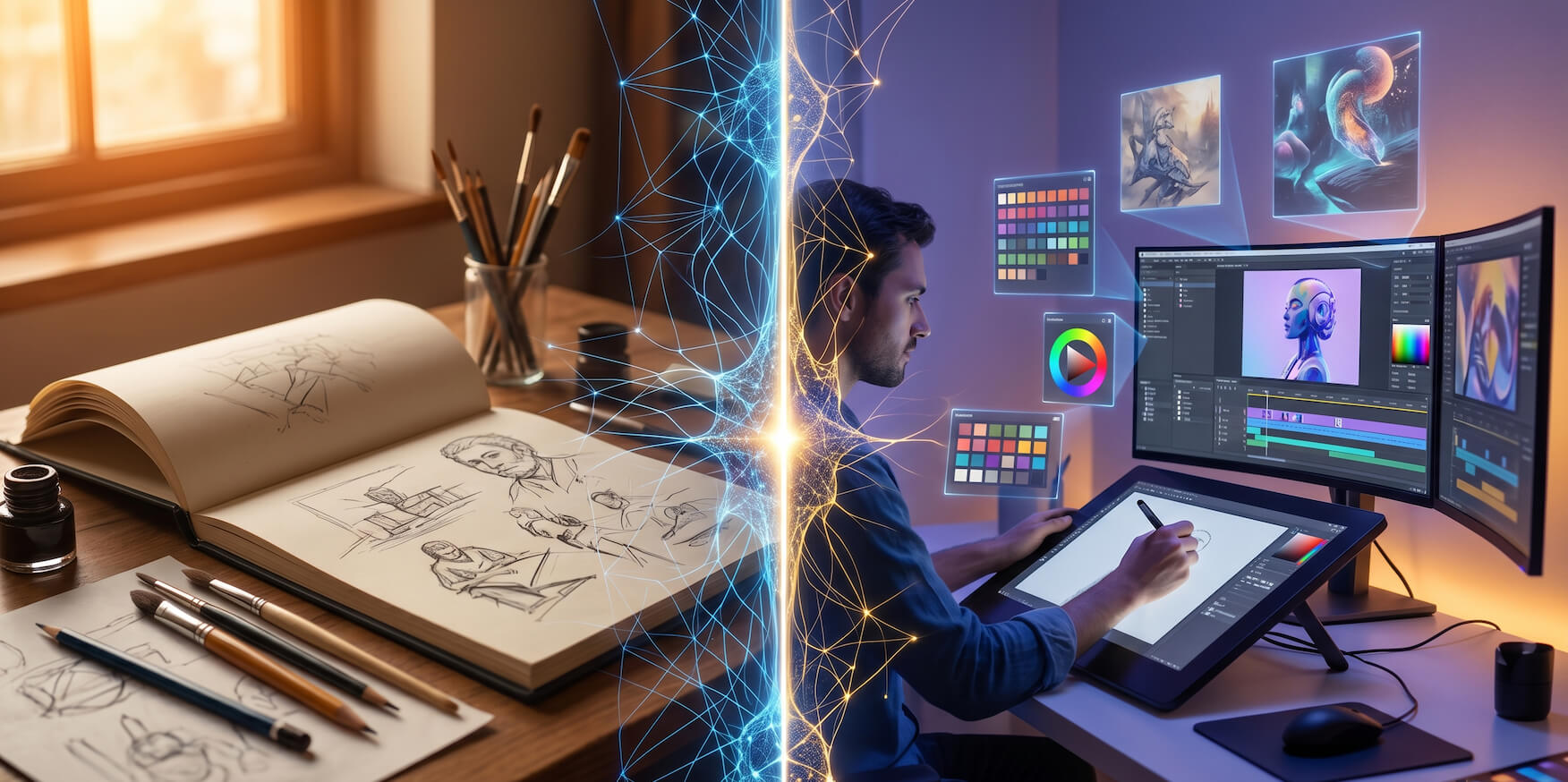
Artificial intelligence has moved well past the stage of being a novelty for artists. In 2026, it is a practical, deeply embedded part of how working creatives ideate, produce, market, sell, and manage their careers. The conversation has shifted from "should artists use AI?" to "which AI use cases actually deliver real value — and how do you implement them effectively?"
This guide answers that question comprehensively. We've mapped out every significant AI use case for artists in 2026 — from the early stages of creative ideation all the way through to selling finished work and managing the business of a creative career. Whether you're a digital painter, illustrator, photographer, animator, printmaker, or multi-disciplinary creative, there are specific AI applications in this guide that will change how you work.
Before diving into individual use cases, it's worth understanding the full territory. AI touches virtually every dimension of an artist's professional life in 2026, across four broad domains.
Creative Production covers the tools and techniques that directly assist in making art — image generation, style exploration, animation, color work, and technical assistance. Career and Business covers how AI helps artists build an audience, sell work, manage clients, and operate a sustainable creative business. Learning and Development covers AI's role in accelerating skill acquisition, providing feedback, and expanding creative range. Administration and Productivity covers the operational side — project management, communication, scheduling, and financial tracking.
The artists getting the most from AI in 2026 aren't limiting themselves to just one of these domains. They're building AI into all four — creating a compounding advantage that grows more powerful over time. For a detailed look at which specific platforms perform best across these categories, the AI tools comparison guide for artists in 2026 is an excellent companion to this article.
One of the highest-value AI use cases for artists is using image generation tools in the early ideation phase of a project — before committing significant time to manual execution. Tools like Midjourney, Adobe Firefly, and Leonardo.AI allow artists to generate dozens of visual directions for a concept in the time it would previously take to sketch three or four thumbnail compositions by hand.
This isn't about having AI make the art. It's about using AI to rapidly explore the possibility space of a concept — testing different moods, color temperatures, compositional approaches, and stylistic directions — so that when you do commit to manual execution, you're doing so with much greater visual clarity and confidence. Concept artists working on games and films use this approach routinely, generating AI mood boards that define the visual language of a project before a single production asset is created.
The practical workflow looks like this: generate twenty to thirty AI variations of a concept, identify the three or four directions that feel most resonant, use those as visual references for your manual work, and proceed with genuine creative confidence. The time savings in the ideation phase alone justify the adoption of AI image tools for almost any professional artist.
Maintaining visual consistency across a large body of work is one of the most technically demanding challenges in professional illustration and concept art. Whether you're producing a series of illustrations for a children's book, a complete visual identity for a game, or a cohesive editorial illustration portfolio, keeping characters, environments, and visual language consistent across dozens or hundreds of individual pieces is genuinely difficult.
AI tools like Midjourney's Style Reference feature and Leonardo.AI's custom model fine-tuning have made this substantially easier. By training an AI model on your existing work or providing it with style reference images, you can generate new assets that carry your visual DNA — consistent color palette, linework character, lighting approach, and compositional preferences — across every output. This is particularly transformative for artists working on large-scale commercial projects where consistency is non-negotiable.
Finding the right photographic reference for a complex pose, unusual lighting scenario, or specific environmental setting has historically involved hours of searching through stock photography databases, often settling for references that only partially fit what you need. AI image generation has solved this problem almost entirely.
Artists now generate precisely the reference images they need — specific body positions in specific lighting conditions, particular architectural details in particular weather, unusual perspective angles that simply don't exist in stock photo libraries — in seconds. Portrait painters generate custom lighting reference. Anatomy students generate specific foreshortened poses. Environment artists generate references for impossible or fantastical locations. The ability to create exactly the reference you need, rather than working around the limitations of what exists, has meaningfully raised the quality ceiling for artists across every medium.
For illustrators, comic artists, and animators, background creation is often the most time-consuming element of production — and frequently the least creatively engaging. Detailed architectural environments, complex natural landscapes, and technically demanding perspective drawings require significant skill and time to execute well, often taking longer than the character work that is the real focus of the piece.
AI tools have dramatically changed this equation. Clip Studio Paint's AI background generation, combined with tools like Stable Diffusion with ControlNet for precise structural control, allows artists to generate detailed, perspective-accurate backgrounds from text descriptions that match the compositional requirements of their foreground work. Comic artists producing monthly issues report saving ten to fifteen hours per month on background production alone — time that goes directly back into character work, storytelling, and creative refinement.
Color decision-making is one of the most subjective and emotionally loaded aspects of visual art — and one where AI assistance has proven surprisingly valuable. Tools like Khroma use AI to learn your specific color preferences from an initial training session, then generate unlimited custom palettes tailored to your taste. Adobe Color uses AI to analyze the emotional temperature, contrast relationships, and harmony of any color combination, providing technical feedback that helps artists make more informed color decisions.
For artists who struggle with color confidence, AI color tools provide a structured, data-informed starting point that removes the paralysis of the blank canvas. For experienced colorists, they provide a rapid exploration tool for discovering unusual combinations they might not have reached through intuition alone.
Surface designers, textile artists, game environment artists, and illustrators working with complex repeated patterns have found AI texture and pattern generation tools transformative. Platforms like Krea AI and Stable Diffusion generate seamlessly tiling textures and surface patterns from text descriptions — wood grain with specific character, fabric weaves with particular density, stone surfaces with controlled weathering — in seconds rather than the hours required to create them manually in Photoshop.
For game artists who need hundreds of unique texture assets, or surface pattern designers who produce seasonal collections of repeat patterns, AI texture generation has fundamentally changed production timelines and creative output volumes.
Bringing still illustrations and paintings to life through animation has historically required either significant technical expertise in animation software or expensive collaboration with specialist animators. In 2026, tools like Runway ML, Pika Labs, and Kling AI have made this accessible to any visual artist with no animation background whatsoever.
Upload a finished illustration, describe the motion you want — a character's hair moving in wind, water rippling in a painted landscape, a portrait's eyes blinking naturally — and these tools generate convincing animation that honors the style and aesthetic of the original artwork. For illustrators building social media audiences, animated versions of finished pieces consistently outperform static images in engagement metrics. For artists selling prints, animated previews of work have been shown to significantly increase conversion rates in online stores.
Every other growth strategy an artist pursues — social media, email marketing, SEO, client outreach — ultimately drives traffic somewhere. That destination needs to be a professional, well-designed portfolio that converts visitors into followers, clients, and customers. In 2026, AI website builders have made creating that destination accessible to every artist regardless of technical skill.
RocketPages lets you create a professional portfolio website using AI — generating a gallery-quality online presence in minutes, with intelligent layout, typography, and design decisions handled automatically. For artists who have spent years putting off building a proper website because of the technical complexity, this represents the removal of a genuine career obstacle.
For artists running a full creative business — taking commissions, selling originals, offering licensing, running workshops — RocketPages makes building a complete business website equally straightforward, giving you a professional digital storefront without a development budget or a coding course.
Artists who create written content — blog posts about their process, tutorials, creative philosophy pieces, medium-specific guides — have a significant opportunity to drive consistent organic traffic to their portfolios through search engines. The challenge has always been the technical complexity of SEO: keyword research, content structure optimization, meta data, internal linking, page speed — a discipline that requires genuine expertise to execute well.
AI-powered SEO tools like Surfer SEO and Semrush have made this expertise accessible to non-specialists. They analyze what your target audience is searching for, how competing content is structured, and exactly what your content needs to include to rank well — turning SEO from a specialist skill into a guided, AI-assisted process. For artists willing to invest in regular content creation, AI SEO tools can generate thousands of monthly organic visitors over time — all discovering your work through genuine interest in what you create.
Maintaining a consistent, high-quality social media presence is one of the most demanding ongoing requirements of building an art career in 2026. The volume of content required across Instagram, TikTok, Pinterest, YouTube Shorts, and LinkedIn would consume every available hour if approached without AI assistance.
AI writing tools generate captions, hashtag strategies, and post copy from brief notes about the piece or concept you're featuring. Canva Magic Studio creates on-brand visual assets for every platform format simultaneously. Scheduling tools with AI optimization like Later and Buffer determine the optimal posting time for each platform based on your specific audience's behavior patterns. Together, these tools allow artists to batch their content creation into a few focused hours per week — maintaining consistency without sacrificing studio time.
An email list is the most valuable audience asset an artist can build — more durable than social media followers, more personal than website traffic, and consistently the highest-converting channel for art sales and commission inquiries. AI tools have made building and maintaining an engaged email list substantially more manageable for independent artists.
AI-powered platforms like ConvertKit generate automated welcome sequences that introduce new subscribers to your work and story. AI writing assistants help produce consistent newsletter content — process updates, new work announcements, studio reflections — even during periods of intense creative production when writing feels impossible. Subject line optimization tools predict open rates before sending, helping artists maximize the reach of every email they invest time in creating.
Print-on-demand platforms like Printful, Society6, and Redbubble give artists a genuinely passive income stream — selling their work as physical products without managing inventory, production, or fulfillment. The challenge is discoverability: with millions of products listed on these platforms, most artist stores receive minimal organic traffic without deliberate optimization.
AI tools like Alura and eRank analyze platform search data and generate keyword-optimized titles, descriptions, and tags for every product listing — dramatically improving the likelihood that the right buyers find your work. For artists with existing digital portfolios, applying AI optimization to a print-on-demand store is one of the highest-return, lowest-effort income improvements available.
For artists who take commission or commercial work, client communication is a constant drain on creative time and mental energy. Drafting proposals, responding to briefs, negotiating terms, sending progress updates, handling revision requests — the communication volume of a busy freelance art practice is substantial.
AI writing assistants handle the first draft of virtually all of this communication. Describe the project, the client, the terms, and the tone — and the AI generates a professional, personalized proposal or response that you refine and send. Client management platforms like HoneyBook use AI to automate initial inquiry responses, ensuring potential clients receive immediate, professional engagement even when you're mid-creative-session and unreachable.
AI-generated reference images have transformed figure drawing study for artists at every level. Rather than being limited to the poses available in live sessions or stock photo libraries, artists can now generate unlimited custom figure references — specific anatomical positions, unusual perspective angles, particular body types, complex foreshortening — precisely tailored to the areas of anatomy they're actively working to improve.
This on-demand, infinitely customizable reference generation has meaningfully accelerated the anatomy learning curve for self-directed artists. Combined with AI critique tools that can analyze figure drawings and identify specific anatomical issues, artists now have access to a level of structured, personalized figure study support that previously required enrollment in expensive formal art programs.
One of the less obvious but genuinely powerful AI use cases for artists is using generation tools to explore visual styles far outside their current practice — as a learning tool rather than a production tool. By studying how AI interprets and renders different artistic movements, techniques, and aesthetics, artists can rapidly build visual literacy across a much broader range of styles than would be possible through traditional study alone.
An illustrator primarily working in clean vector styles can use AI to deeply explore the visual language of expressive gestural painting, studying the structural logic of mark-making, value distribution, and color use in that style before attempting to incorporate those elements into their own practice. This kind of AI-assisted style study has become a standard part of artistic development for creatives who approach AI as a learning tool rather than just a production shortcut. For artists just beginning this journey, the AI tools for beginners guide for artists provides a structured, accessible starting point for building AI into your learning practice without feeling overwhelmed.
AI critique tools have emerged as a valuable supplement to human mentorship for artists working without access to formal feedback structures. Platforms analyzing composition balance, value relationships, color harmony, and perspective accuracy provide structured technical feedback that helps artists identify blind spots in their work that are difficult to see when you're close to a piece.
While AI critique lacks the emotional intelligence, contextual understanding, and subjective aesthetic judgment of an experienced human mentor, it provides a useful, always-available technical check — particularly valuable for self-taught artists who don't have regular access to skilled feedback from peers or teachers.
Managing multiple simultaneous commissions — tracking briefs, deadlines, revision stages, client communication history, payment status, and delivery — is a significant cognitive load that pulls creative energy away from actual art-making. AI-powered project management tools like Notion AI organize all of this into a single, intelligently queryable system.
Ask "which commissions are due this week?" or "what's the revision status on the Chen project?" and get instant, accurate answers drawn from your entire project database. For freelance artists managing four or more simultaneous client projects, this kind of AI-assisted organizational clarity can reclaim several hours of mental overhead every week. The AI tools for productivity for artists in 2026 guide covers the full range of these tools in depth — an essential read for any artist looking to build a more efficient creative business.
The financial administration of a freelance creative career — income tracking, expense categorization, invoice management, tax preparation — is both time-consuming and genuinely stressful for most independent artists. AI-powered accounting tools like FreshBooks and QuickBooks with AI features automatically categorize transactions, generate invoices, track outstanding payments, and produce financial reports that give artists clear visibility into the financial health of their business without requiring accounting expertise.
At tax time, AI tools that have tracked your income and expenses throughout the year dramatically reduce the complexity and stress of preparation — and help ensure you're capturing every legitimate business deduction available to you as a creative professional.
Commission agreements, licensing contracts, work-for-hire documents, and model releases are legal necessities for professional artists that most creatives find intimidating to navigate without a lawyer. AI contract tools like Ironclad and DocuSign with AI features generate customized, legally sound agreements from templates specifically designed for creative professionals — covering the specific scenarios and terms that matter for art licensing, commission work, and commercial illustration contracts.
For artists who have historically avoided formal contracts because of the complexity and cost involved, AI legal tools remove a significant professional risk from their practice.
What makes AI genuinely transformative for artists in 2026 isn't any single use case in isolation — it's the compounding effect of AI operating across every dimension of your creative and professional life simultaneously. AI assistance in your production workflow frees up creative energy. AI-managed social media consistency builds your audience. AI-optimized listings generate passive income. AI project management reduces administrative stress. Together, these create a virtuous cycle where more time and energy flow toward creative work, which improves the quality and quantity of your output, which builds your reputation and audience, which generates more opportunity.
The artists seeing the most significant growth in 2026 are the ones who have built AI into their entire creative ecosystem — not just their image generation workflow. For a comprehensive look at the best individual tools powering all of these use cases, the best AI tools for artists in 2026 roundup covers every major platform with honest assessments of quality, value, and real-world creative applicability.
With nineteen distinct AI use cases covered in this guide, the natural question is where to begin. The answer depends entirely on where the most significant friction currently exists in your creative life.
If your biggest challenge is creative production speed — start with an image generation tool for ideation and a reference generator for figure and environment study. If your biggest challenge is audience growth — start with a portfolio website builder and an AI-assisted social media content workflow. If your biggest challenge is business management — start with an AI project management system and client communication tools.
Pick the one or two use cases that address your most pressing current problem. Implement them properly — spend enough time with each tool to understand how to get consistent, high-quality results. Then add the next layer. Build your AI creative ecosystem incrementally, and the compounding benefits will become apparent within weeks.
For artists who are entirely new to AI tools and want the most accessible possible starting point, the free AI tools guide for artists in 2026 maps out exactly which powerful tools are available at zero cost — making it possible to explore most of the use cases in this guide before spending anything.
AI use cases for artists in 2026 span every dimension of the creative professional's life — from the first rough idea sketched in an ideation session to the final invoice sent on a completed commission. The tools are mature, accessible, and genuinely valuable. The artists using them well are producing more work, reaching larger audiences, generating more income, and spending more of their time doing what they became artists to do in the first place.
The use cases in this guide aren't theoretical possibilities. They are active, real-world applications that working artists across every medium are using every day to build careers that are more creatively fulfilling and more financially sustainable than what was possible even three years ago.
The only question that remains is which ones you'll adopt first.
Considering the full landscape of what's available? The AI tools comparison guide for artists in 2026 gives you a structured, side-by-side evaluation of the leading platforms across every use case covered in this article — the essential reference for building your AI creative stack with confidence.
Stay up to date with the latest tips, expert insights, product reviews, and step-by-step guides to help you grow, create, and succeed—no matter your industry or passion.