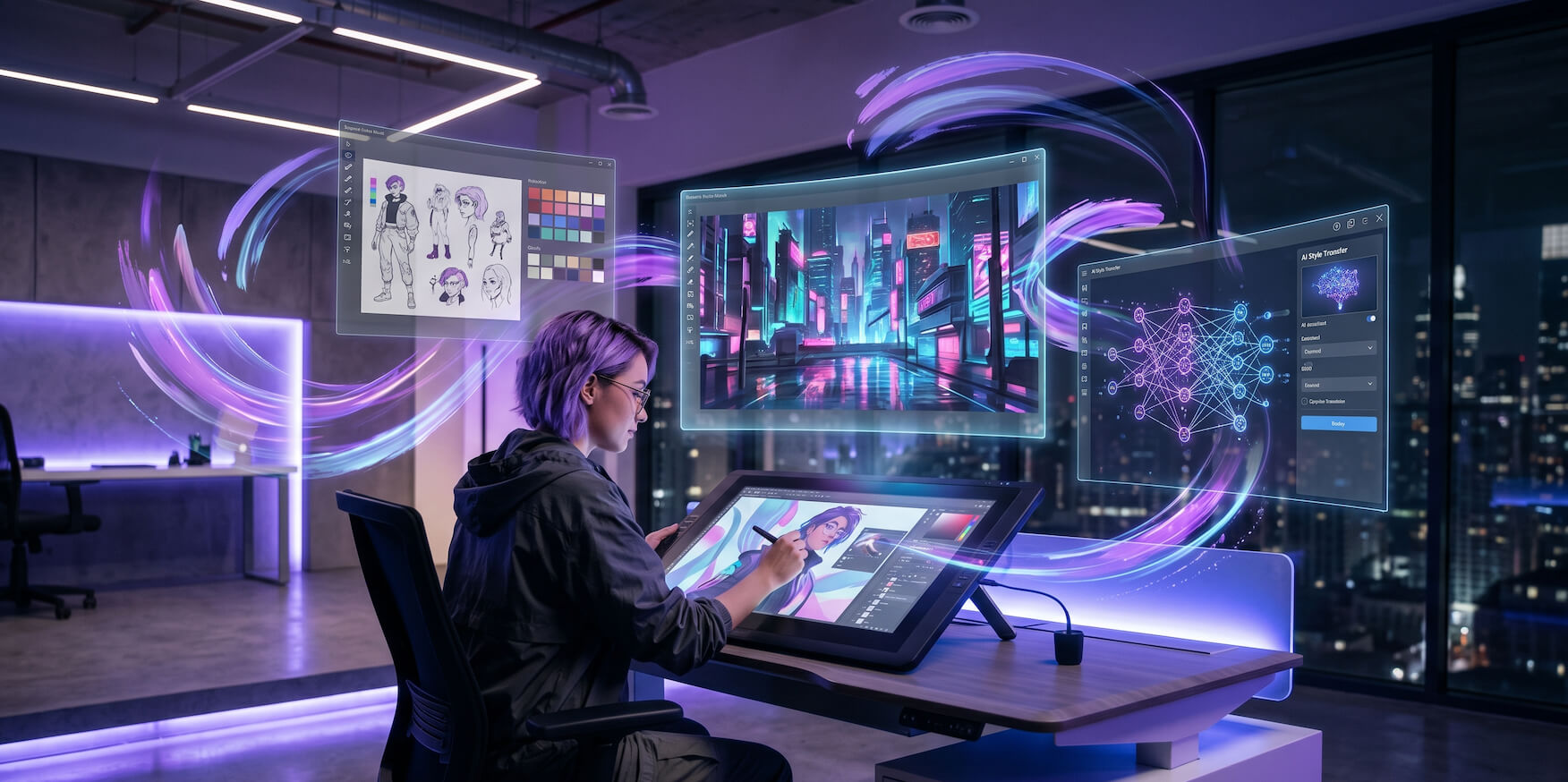
Art has always evolved with technology. From the invention of the printing press to the arrival of digital cameras, from Photoshop's debut to the first drawing tablets — every technological leap has expanded what artists can create and how they can create it. In 2026, artificial intelligence represents the most significant creative technology shift in a generation.
AI apps for artists have matured at a breathtaking pace. Where early tools could barely generate a coherent face, today's platforms produce photorealistic concept art, animate illustrations with cinematic fluidity, compose original music, and help artists build thriving online businesses — all with tools that are increasingly accessible to creators at every level.
But with hundreds of AI tools competing for your attention, knowing which ones actually deserve a place in your workflow is genuinely difficult. This guide cuts through the noise. We've gone deep on the top AI apps for artists in 2026 — covering what each tool does, who it's best for, its strengths and limitations, pricing, and exactly how to integrate it into a professional creative workflow.
Whether you're a digital painter, concept artist, illustrator, photographer, animator, game designer, or a multi-disciplinary creative building a brand, this is the most comprehensive AI tools guide you'll find this year.
The State of AI for Artists in 2026: A Brief Overview
Before diving into specific tools, it's worth understanding the broader landscape. AI for artists in 2026 spans several distinct categories, each solving different creative problems.
Image Generation tools like Midjourney, Adobe Firefly, and Leonardo.AI create visual content from text or image prompts. Animation and Video platforms like Runway ML and Pika Labs bring static imagery to life. Productivity and Organization tools like Notion AI handle the business and administrative side of a creative career. Music Generation tools like Udio and Suno give visual artists control over their audio output. And finally, Portfolio and Website Builder platforms help artists present their work professionally online without needing technical skills.
The artists getting the most value from AI in 2026 aren't using just one tool — they're building a thoughtfully assembled AI creative stack where each tool handles a specific part of the workflow. Understanding which tools belong in your stack is the goal of this guide.
For a structured side-by-side evaluation of the leading platforms, the AI tools comparison guide for artists in 2026 is an invaluable reference — especially if you're deciding between two or three options and want to see them measured against each other on features, pricing, and use-case fit.
1. Adobe Firefly — The Professional's AI Companion
What It Is
- Adobe Firefly is Adobe's native AI image and content generation system, built directly into the Creative Cloud ecosystem. Unlike third-party AI tools that exist as separate applications, Firefly lives inside Photoshop, Illustrator, Adobe
- Express, and Adobe Premiere Pro — making it the most deeply integrated AI art tool available to professional creatives.
Key Features
- Generative Fill is arguably the most transformative feature Firefly offers. Select any area of a Photoshop composition, type a text prompt, and Firefly fills that selection with AI-generated content that seamlessly matches the surrounding lighting, perspective, and style. Removing a distracting background element, extending an image beyond its original canvas, or adding entirely new objects to a photograph — all of these tasks that once required hours of skilled retouching now take seconds.
- Generative Expand allows artists to extend the canvas of any image in any direction, with AI intelligently extrapolating the surrounding scene. This has become an indispensable tool for photographers who need to reformat images for different aspect ratios without cropping, and for illustrators who want to extend their compositions.
- Text to Vector in Illustrator allows artists to generate scalable vector graphics from text prompts — a feature that has been transformative for icon designers, logo artists, and brand identity creatives who need rapid concept exploration.
- Structure Reference and Style Reference give artists control over the composition and aesthetic of generated images by uploading reference images rather than relying purely on text descriptions. This dramatically improves the usefulness of Firefly for artists who have a specific visual direction in mind.
Who It's Best For
- Professional photographers, retouchers, illustrators, and designers who are already embedded in the Adobe Creative Cloud ecosystem. Firefly's value compounds the more Adobe tools you use — if Photoshop and Illustrator are already open on your machine every day, Firefly is already there waiting for you.
Licensing and Commercial Safety
- One of Firefly's most important differentiators is its training data. Adobe trained Firefly exclusively on licensed Adobe Stock content, public domain images, and openly licensed creative work — meaning every output is designed to be safe for commercial use. For artists working on client projects or selling their work, this is a significant advantage over tools trained on scraped internet content.
Pricing
- Firefly is included with Adobe Creative Cloud subscriptions, starting at around $54.99/month for the full suite. Standalone Firefly access is available through Adobe Express, which has a free tier with limited generation credits.
Limitations
- Firefly's outputs, while commercially safe, sometimes feel slightly conservative compared to the more experimental aesthetic of tools like Midjourney. Artists chasing hyper-stylized or avant-garde aesthetics may find it less expressive. It also requires an Adobe subscription, which may not suit independent artists on tight budgets.
2. Midjourney v7 — The Gold Standard for Visual Concept Art
What It Is
- Midjourney has, since its launch, occupied a unique position in the AI art world: it consistently produces the most aesthetically stunning, painterly, and cinematically sophisticated images of any AI generation tool. Version 7, released in early 2026, represents a substantial leap forward in technical capability and artistic refinement.
Key Features
- Style Reference (--sref) allows artists to upload an image as a style guide, and Midjourney will generate new images that adopt its visual language — color palette, texture, brushstroke quality, lighting approach — without copying the specific content. For artists who have developed a distinctive visual identity, this is transformative. You can generate hundreds of new images that feel unmistakably like your work.
- Character Reference (--cref) maintains consistent character design across multiple generated images. This solves one of the most frustrating limitations of earlier AI generation tools — the inability to keep a character looking the same from image to image. For illustrators, comic artists, and game designers, character consistency is non-negotiable, and Midjourney v7 finally delivers it reliably.
- Vary (Region) functions similarly to Firefly's Generative Fill, allowing artists to select specific areas of a generated image and regenerate only those regions while keeping the rest intact. This granular control brings Midjourney much closer to a full digital painting tool rather than just a prompt-and-pray generator.
- Personalization is a newer feature that learns your aesthetic preferences over time based on your ratings and choices within the platform. The more you use Midjourney, the better it understands your taste — and the more reliably it generates images you'll love on the first attempt.
Who It's Best For
- Concept artists, game designers, creative directors, illustrators, and any artist who needs rapid, high-quality visual ideation. Midjourney is particularly strong for fantastical, cinematic, and highly stylized aesthetics — though its photorealism has improved dramatically in v7. It ranks consistently among the best AI tools for artists in 2026 precisely because its output quality has no real ceiling.
Pricing
- Midjourney operates on a subscription model. The Basic Plan starts at $10/month for limited monthly generations. The Standard Plan at $30/month offers unlimited relaxed generations, which is sufficient for most working artists. The Pro Plan at $60/month adds faster generation speeds and stealth mode (private generations not visible to other users).
Limitations
- Midjourney operates entirely through Discord, which remains an unusual and occasionally frustrating interface choice. There is no dedicated web app canvas for painting over or editing generated images. Hands and complex typography still require manual correction in most outputs. Commercial licensing requires a paid subscription, and the terms around ownership of AI-generated art remain a nuanced area worth understanding before using outputs commercially.
3. Runway ML — The AI Studio for Motion Artists
What It Is
- If Midjourney owns the still image space, Runway ML is its equivalent in motion. Runway has built the most comprehensive AI-powered video and animation platform available to individual creatives, and in 2026 it functions essentially as a complete post-production studio powered by artificial intelligence.
Key Features
- Gen-3 Alpha Turbo is Runway's flagship video generation model. Given a text prompt, a still image, or a short video clip as input, it generates high-resolution, temporally coherent video that can extend to several seconds in length. The motion quality, camera movement plausibility, and subject consistency have improved to the point where Runway outputs are now regularly used in professional film and advertising production.
- Image to Video is perhaps the feature most immediately useful to visual artists. Upload any illustration, painting, or digital artwork, and Runway animates it — adding natural motion, camera movement, and environmental effects that bring the still image convincingly to life. Portrait illustrators use this to animate their characters. Landscape painters use it to add wind, water, and atmospheric movement. The results are frequently breathtaking.
- Act-One is a motion capture feature that requires nothing more than a standard webcam. Record yourself performing a movement or expression, and Act-One transfers that motion onto a Runway-generated character. For animators and character artists, this collapses what used to be a technically demanding, expensive process into something anyone can do at their desk.
- Green Screen AI removes video backgrounds with AI precision — no physical green screen required. Motion Tracking pins generated elements to real or AI-generated video with accuracy that would have required specialist VFX software just a few years ago. AI Audio generates ambient soundscapes and music synchronized to the emotional tone of the video.
Who It's Best For
- Motion designers, animators, digital illustrators wanting to expand into video, independent filmmakers, and artists creating content for social media, galleries, or multimedia installations. Runway is particularly powerful for artists who want to create professional motion work without a large team or expensive equipment.
Pricing
- Runway offers a free tier with 125 generation credits. The Standard Plan at $15/month and Pro Plan at $35/month offer significantly more credits and faster generation speeds. Teams and studios can access enterprise pricing.
Limitations
- Video generation is still computationally expensive, meaning generation times can be slow on lower-tier plans. Complex scenes with multiple interacting subjects still produce artifacts. The learning curve for getting consistently high-quality results is steeper than for still image tools.
4. Krea AI — Real-Time Creative Exploration
What It Is
- Krea AI takes a fundamentally different approach to AI art generation than most platforms. Rather than generating a complete image from a static text prompt, Krea builds around a real-time interactive canvas where AI outputs update live as you draw, paint, or adjust your inputs. It's the closest experience to having AI as a genuine painting collaborator rather than a vending machine you put prompts into.
Key Features
- Real-Time Generation Canvas is Krea's defining innovation. As you sketch rough shapes, adjust colors, or move elements around a canvas, the AI continuously re-renders the output in real time — showing you how a professional, fully rendered version of your rough sketch might look at every stage. Artists use this for rapid concept exploration, discovering unexpected directions they wouldn't have thought to prompt for.
- AI Upscaler dramatically enhances image resolution and adds fine detail to artwork that is either AI-generated or hand-created. Artists regularly use Krea's upscaler as a final step on artwork from other platforms, extracting substantially more detail and quality from outputs that look good but not great at native resolution.
- AI Video generates short cinematic clips from text prompts or images, with a particular strength in smooth, aesthetically coherent motion — making it a useful complement to Runway for artists who want a second opinion or a different visual language in their video work.
- AI Patterns and Textures generates seamlessly tiling patterns and surface textures from text descriptions — an enormously useful feature for textile designers, game environment artists, and surface pattern designers who need custom tileable assets quickly.
Who It's Best For
- Illustrators, concept artists, surface pattern designers, UI/UX designers, and any artist who finds traditional prompt engineering frustrating or limiting. Krea's visual-first, intuitive approach makes it particularly accessible and tends to produce pleasant surprises that text-only prompting wouldn't surface.
5. Clip Studio Paint with AI Features — For Illustrators and Manga Artists
What It Is
- Clip Studio Paint has been the professional standard for comic, manga, and illustration artists for over a decade. In 2026, its deeply considered AI feature integration has made it even more powerful — without sacrificing the craft-oriented, artist-in-control philosophy that made it beloved in the first place.
Key Features
- AI Pose Scanner analyzes a reference photograph and generates an accurate, poseable 3D character model matching that pose. Artists can then adjust this model freely and use it as a drawing reference — eliminating the need to either find the perfect photo reference or struggle through difficult perspective and anatomy problems from imagination alone.
- Auto Background Generation creates complex environment backgrounds from text descriptions that match the perspective and lighting of your foreground character art. For manga artists who need to produce dozens of pages featuring detailed urban environments, interiors, or landscapes, this feature alone saves an extraordinary amount of time.
- AI Linework Smoothing cleans and refines hand-drawn linework, removing wobbles and inconsistencies while preserving the natural character of your drawing style. Unlike generic smoothing filters, Clip Studio's AI version understands linework context — it knows when a variation in line weight is intentional expressiveness versus an accidental wobble.
- Intelligent Perspective Tools snap and guide perspective lines with AI assistance, making accurate complex perspective construction dramatically faster and more accessible to artists who haven't mastered it manually.
Who It's Best For
- Comic artists, manga creators, illustrators, and storyboard artists who want AI as a precision craft tool rather than a content generator. Clip Studio keeps you in full creative control while eliminating the most technically demanding and time-consuming aspects of professional illustration.
Pricing
- Clip Studio Paint offers a one-time purchase option at around $49.99 for the Pro version, making it one of the most cost-effective professional art tools available. A subscription option at $4.99/month includes cloud features and cross-device sync.
6. Canva Magic Studio — For Artists Who Create Commercial Content
What It Is
- Canva Magic Studio represents the maturation of AI design assistance for the working creative entrepreneur. Where earlier versions of Canva were primarily template-based, Magic Studio transforms the platform into an AI-first creative environment capable of producing genuinely sophisticated commercial content.
Key Features
- Magic Media generates images and video from text prompts directly within Canva's design canvas, allowing artists to create fully custom visuals for their projects without leaving the platform. Magic Edit allows precise AI-powered editing of photos — changing clothing colors, swapping backgrounds, adding or removing objects — with a simplicity that requires no Photoshop expertise. Magic Resize automatically reformats any design for every social media platform and print specification simultaneously.
- Brand Hub with AI learns your brand's colors, fonts, logo, and visual style, then automatically applies it consistently across every design you create — invaluable for artists managing their own creative business or working with multiple client brands simultaneously.
Who It's Best For
- Freelance artists and creative entrepreneurs managing their own brand and social media presence, designers creating commercial content at volume, and any artist who needs to produce professional marketing materials alongside their fine art work. Canva Magic Studio is also one of the standout options in the growing list of free AI tools for artists in 2026 — its free tier gives genuinely useful creative capability before you spend anything.
7. Leonardo.AI — Fine-Tuned AI Art for Game and Concept Artists
What It Is
- Leonardo.AI has positioned itself as the most customizable AI image generation platform for professional concept and game artists. While tools like Midjourney excel at aesthetic quality, Leonardo's strength is controllability — giving artists precise control over output style, consistency, and asset type.
Key Features
- Custom Model Fine-Tuning is Leonardo's signature capability. Upload a dataset of your own artwork, and Leonardo trains a custom AI model on your style. Every image generated through your custom model will carry your visual DNA — your color choices, your linework character, your compositional preferences. For game studios and individual artists with an established visual identity, this is an extraordinarily powerful capability.
- Canvas with Inpainting and Outpainting provides a full workspace for extending, editing, and compositing AI-generated images with precise control. Artists can generate a character, then iteratively refine specific elements — the face, the costume details, the weapon — without regenerating the entire composition each time.
- ControlNet Integration allows artists to upload structural reference images — wireframes, depth maps, pose references, edge maps — that constrain the AI's generation to match the underlying structure. This bridges the gap between AI generation and traditional technical illustration, giving artists compositional control that text prompts alone can't provide.
- Asset Types and Motion include environment concepts, texture sheets, character turnarounds, and item designs — organized formats purpose-built for game production pipelines rather than standalone art.
Pricing
- Leonardo offers a generous free tier with 150 daily tokens. Paid plans start at $10/month for the Apprentice tier, scaling to $48/month for the Maestro tier with maximum generation speed and custom model training capacity.
8. Udio & Suno — AI Music Generation for Multimedia Artists
What They Are
- For visual artists working in multimedia, installation, film, or game design contexts, the ability to generate original music has historically required either expensive collaboration with composers or learning music production software from scratch. Udio and Suno have made original music creation as simple as writing a text prompt.
- Both platforms generate complete, professionally produced music tracks — with vocals, instrumentation, arrangement, and mixing — from text descriptions of genre, mood, tempo, and instrumentation. The outputs in 2026 are genuinely impressive, spanning everything from ambient electronic soundscapes to orchestral compositions to genre-specific tracks with stylistically authentic production.
- Udio has a slight edge in musical sophistication and genre breadth, particularly for jazz, classical, and complex arrangements. Suno excels at pop, electronic, and immediately accessible genre music, and its interface is slightly more beginner-friendly. Many multimedia artists use both, choosing based on the specific mood or genre a project requires.
Who It's Best For
- Visual artists expanding into multimedia and installation work, independent animators and filmmakers needing original soundtracks, game designers building audio assets, and any creative who wants full ownership of every element of their work — including the music.
9. Notion AI — For the Organized, Business-Minded Artist
What It Is
- The business of being an artist — client communication, project management, invoicing, content creation, social media strategy — consumes an enormous amount of creative energy that most artists would rather spend making art. Notion AI doesn't make art, but it dramatically reduces the administrative burden of running a creative career.
Key Features
- AI Writing Assistant drafts client proposals, artist statements, project briefs, exhibition descriptions, and social media captions in your voice and tone, from brief bullet points you provide. AI Database and Project Management organizes commissions, deadlines, client information, and project status with intelligent querying — ask "which projects are overdue?" and get an instant, accurate answer. AI Meeting Notes transcribes and summarizes client calls, extracting action items and decisions automatically.
- Connected Workspace means your references, mood boards, project notes, client communications, and financial tracking all live in one searchable, AI-queryable system — eliminating the scattered notes, sticky tabs, and forgotten email threads that characterize most freelance creative businesses.
- For a comprehensive look at how these kinds of tools can transform your creative output, the AI tools for productivity guide for artists covers the full spectrum of productivity AI available to creatives — from project management and client communication to time tracking and creative research.
10. Pika Labs — AI Animation for Social-First Artists
What It Is
- Pika Labs has established itself as the leading AI animation tool for artists creating content for social media and short-form platforms. Where Runway ML aims at cinematic professional production, Pika is optimized for speed, accessibility, and the visual language of contemporary digital content.
Key Features
- Pikaffects are one-click motion effects — crushing, melting, exploding, inflating, deflating — that apply dramatic, physics-accurate transformations to any image. These have become a signature aesthetic in viral AI art content and are particularly popular among digital artists building audiences on Instagram and TikTok.
- Lip Sync animates portrait illustrations and character art to sync with audio — dialogue, voiceover, or music — with impressive accuracy and a surprisingly natural result. For illustrators who want to bring their characters to life in a deeply personal way, this feature is uniquely compelling.
- Scene Extend adds additional animated frames to the beginning or end of any video clip, smoothly extending the motion in a direction consistent with the existing movement. This makes short AI-generated clips substantially more usable in edited content.
11. Procreate with AI Brushes and References — For iPad Artists
What It Is
- Procreate remains the definitive iPad drawing and painting application, and while it has been more conservative in its AI integration than desktop tools, the third-party AI brush ecosystem and its native reference and perspective features have made it increasingly AI-augmented in practice.
- Third-party developers have built AI-powered brushes that simulate rare traditional media with extraordinary fidelity — the specific tooth of cold-press watercolor paper, the smear characteristic of a particular oil paint brand, the bleed behavior of fountain pen ink on newsprint. Combined with Procreate's industry-leading pressure sensitivity and natural media simulation, these brushes give iPad artists an unprecedented traditional art experience.
- Procreate's Reference Panel and the broader ecosystem of AI-generated reference images from tools like Midjourney and Leonardo have transformed how iPad artists approach complex subjects — generating custom reference poses, lighting scenarios, and compositional options on demand rather than hunting for existing photographs that partially fit.
Who It's Best For
- Artists working primarily on iPad who want the most natural, craft-oriented digital painting experience available, augmented by AI where it adds genuine value without compromising the drawing experience.
How to Build Your AI Creative Stack in 2026
Understanding individual tools is only part of the picture. The artists getting the most from AI are building coherent creative stacks — curated combinations of tools where each handles a specific part of the workflow without redundancy.
A practical example stack for a freelance concept artist might look like this: Midjourney for rapid visual ideation and mood board generation, Adobe Firefly for Photoshop integration and commercial-safe asset refinement, Leonardo.AI for fine-tuned style-consistent asset production, Runway ML for animating key pieces for social media, Notion AI for managing client relationships and project organization, and RocketPages for maintaining a professional portfolio that drives client inquiries.
The key principle is to avoid tool overlap and ensure each platform is doing something the others can't. A stack built on this principle becomes a genuine productivity multiplier rather than just an expensive collection of subscriptions.
Free AI Tools Worth Exploring Before You Commit
Budget is a real consideration for most independent artists, and the good news is that you don't need to spend significantly to access powerful AI tools. Most platforms offer free tiers that are genuinely useful — not just watered-down demos.
Canva Magic Studio's free tier gives you meaningful design and generation capability. Leonardo.AI's free tier with 150 daily tokens is sufficient for regular experimentation. Krea AI offers free access to its upscaler and some generation features. Runway ML's free tier includes 125 credits. Udio and Suno both offer free tiers for music generation.
The free AI tools guide for artists in 2026 goes deep on exactly which tools offer the most value at zero cost — with honest assessments of where free tier limitations will eventually push you toward a paid plan and where they're genuinely sufficient for regular creative use.
Presenting Your Work: Building a Professional Portfolio with AI
Every tool in this guide helps you create better art. But art that no one sees doesn't build a career. Having a professional, beautifully designed portfolio online is non-negotiable for working artists in 2026 — and AI has made building one faster and easier than ever before.
RocketPages lets you create a stunning portfolio website using AI — generating a gallery-ready, professional online presence that showcases your work exactly as it deserves to be seen, without writing a single line of code. The AI handles layout, typography, color, and structure, leaving you free to focus on curation and content.
And if your creative practice extends into selling work, taking commissions, or running a creative business, RocketPages makes it just as effortless to create a complete business website instantly — giving you a fully functional professional storefront that looks like it was designed by a specialist studio, built in the time it takes to make a coffee.
Getting Started: A Guide for AI Beginners
If you're new to AI tools as an artist, the most important thing to know is that you don't need to master everything at once. The learning curve on most modern AI art tools is genuinely shallow — most are designed by people who understand that artists want to create, not configure.
Start with one tool. Spend two weeks with it. Learn its quirks, its strengths, and how to get consistent results. Then add a second tool that complements it rather than duplicates it. Build your stack incrementally, adding each new tool only when you have a clear sense of what problem it solves that your existing tools don't.
The AI tools for beginners guide for artists is the ideal companion for this process — walking through everything from choosing your first tool to understanding prompting fundamentals, managing outputs, and integrating AI into a real creative practice without feeling overwhelmed. It's written specifically for artists with no prior AI experience, and covers both the technical basics and the creative mindset shifts that make AI genuinely useful rather than frustrating.
Addressing the Elephant in the Room: Ethics, Ownership, and AI Art
No serious guide to AI tools for artists in 2026 can ignore the ethical dimensions of the technology. The debates around AI art — training data sourcing, artist consent, the impact on professional illustrators, questions of authorship and ownership — are real, ongoing, and important.
Here is an honest assessment of where things stand.
Training data and consent remain the most contested issue. Many AI image generation models were trained on vast datasets scraped from the internet without explicit consent from the artists whose work was included. Adobe Firefly's approach of training exclusively on licensed content represents one answer to this problem. Tools like Glaze and Nightshade — which allow artists to subtly alter their online work to confuse AI training scrapers — represent another. Most major platforms are now moving toward opt-in training models and compensation schemes for artists whose work is included.
Commercial licensing varies significantly between platforms. Always read the terms of service for any tool you plan to use commercially. Midjourney requires a paid subscription for commercial use. Adobe Firefly outputs are designed for commercial use. Leonardo.AI's commercial terms depend on the plan. Understanding these distinctions before you use AI-generated content in client work is essential.
Authorship and originality are questions that ultimately each artist must navigate for themselves. Many working artists have arrived at a position where AI is a tool like any other — used in service of human creative vision — and where the quality, intentionality, and meaning of the final work is what matters, regardless of which tools were used to produce it. Others choose to avoid AI generation entirely and use only AI productivity and organizational tools. Both are valid creative positions.
What's clear is that the conversation is evolving rapidly, and the artists engaging thoughtfully with these questions — rather than ignoring them — are the ones best positioned for the longer arc of their creative careers.
The Future of AI for Artists: What's Coming Next
Looking ahead, several developments in AI for artists are worth tracking closely.
Real-time collaborative generation — where multiple artists can work simultaneously in an AI-augmented shared canvas — is moving from experimental to practical. Tools in this space will fundamentally change how creative teams develop visual concepts together.
AI with persistent memory and style learning — tools that genuinely understand your aesthetic preferences and long-term creative history rather than starting fresh with every session — are becoming more sophisticated. The future of AI art tools is deeply personalized creative assistance that knows your practice as well as you do.
Physical and digital integration — AI tools connecting to robotic drawing arms, large-format printers, and CNC fabrication equipment — are creating new possibilities for artists working at the intersection of digital and physical media.
Regulation and standardization of AI training data, compensation models, and disclosure requirements are advancing, particularly in the EU and increasingly in the US. The legal and ethical framework around AI art is actively being written, and it will shape the tools available to artists in coming years.
Final Thoughts: AI as a Creative Partner, Not a Replacement
The artists thriving in 2026 aren't the ones who treated AI as a threat or as a magic shortcut. They're the ones who engaged with it as a powerful, genuinely useful tool — one that requires skill, intention, and creative vision to use well, just like every other tool in the studio.
Great AI-assisted art doesn't make itself. It requires a human who knows what they want to make, understands the emotional register they're working in, has developed taste through years of looking at and making things, and has learned which AI tools help realize that vision most effectively. The AI handles execution assistance. The artistry remains entirely yours.
Whether you're generating concept art for a game studio, animating a short independent film, building a sustainable illustration business, or presenting your work through a beautifully designed portfolio — the tools in this guide are the ones worth your time and attention in 2026.
Start with the one that solves your most pressing creative problem. Build from there. Let the tools handle the tedious parts, and spend your energy on what only you can do: making work that matters.
Looking for the definitive ranked list of what's best right now? The best AI tools for artists in 2026 roundup covers every major platform with honest assessments of quality, value, and professional applicability — the essential reference for building your creative AI stack this year.