August 15, 2025
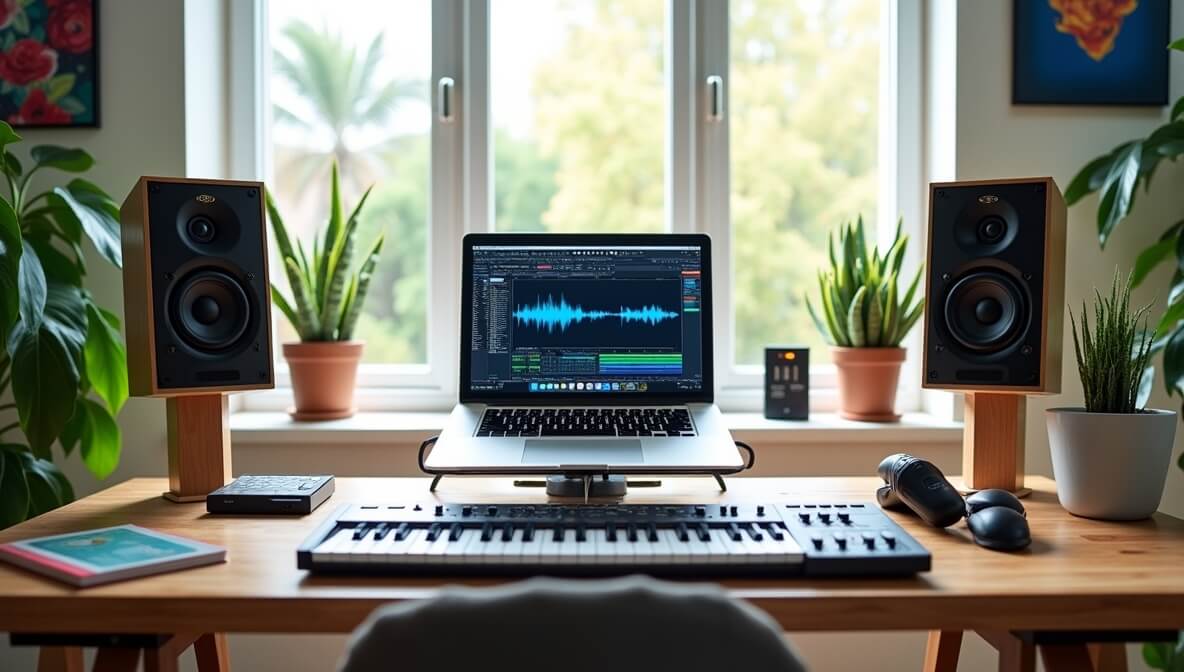
If you’re starting your music production journey, the good news is this: you don’t need to spend a dime to get started. Modern music software has come a long way, and there are now several professional-grade free DAWs (Digital Audio Workstations) that are perfect for learning, experimenting, and even releasing music.
These platforms allow you to record, edit, arrange, and mix your music — all from your home setup.
Before jumping in, it’s worth checking out this beginner-friendly DAW breakdown to understand the role each DAW plays in your music-making workflow and what features to look for.
Originally launched as SONAR — a premium DAW — Cakewalk has now been made completely free by BandLab. Despite its price tag (zero), it competes with top-tier paid software.
Key Features:
Best For: Windows users who want a no-compromise, full-featured DAW for everything from recording to mastering.
Extra Tip: You can collaborate easily using the BandLab online platform, which allows cloud-based version control and project sharing.
Waveform Free is designed for music creators — not audio engineers. Its UI is intuitive, and unlike many free DAWs, it doesn't hold back features behind a paywall.
Key Features:
Best For: Beginners who want to dive into music production with a modern workflow across any OS.
Curious about how MIDI fits into your DAW? Learn the essentials in this intro to MIDI, especially if you’re working with keyboards or virtual instruments.
GarageBand is Apple’s gift to aspiring musicians. Preinstalled on most Macs and iOS devices, it’s ideal for beginners who want to get their ideas out quickly without technical barriers.
Key Features:
Best For: Mac users who want to record, arrange, and mix tracks without needing deep technical knowledge.
Bonus: Your GarageBand projects can be opened in Logic Pro later — perfect for scaling your skills.
While not a full-scale DAW, Audacity is a powerful, open-source tool for audio recording and editing. It’s incredibly lightweight and perfect for those starting with vocals, podcasts, or sample editing.
Key Features:
Best For: Podcasters, vocalists, or anyone working primarily with raw audio.
Want to improve your vocal setup? Start by understanding audio interfaces, which help you connect microphones and instruments with professional clarity.
LMMS is geared toward beatmakers, especially those producing electronic or loop-based music. It’s completely open-source and comes with built-in synths, FX, and sample editors.
Key Features:
Best For: EDM, trap, or lo-fi producers seeking a free alternative to FL Studio.
Want to expand your sample library? Start withHow to Build a Music Reference Library for Creative ProjectsHow to Build a Music Reference Library for Creative Projects you can use in your LMMS projects.
When picking your first DAW, it’s not just about features — it’s about fit. Ask yourself:
As you learn, consider supplementing your DAW practice with foundational skills. This practice and skill-building guide is a great resource for staying consistent and leveling up.
Here are a few more free resources and tools to boost your production without breaking the bank:
Starting with a free DAW doesn’t mean limiting your creativity — in fact, it opens up space to experiment, learn, and create without pressure. Many successful producers began on the same platforms listed above. What matters most is consistency, curiosity, and a willingness to grow.
Create a test brief before installing several applications. Use a project small enough to complete: record or import a short sound, arrange a few events, adjust a level, save the project, and export a listening copy. Use material you are entitled to work with. This tests the path you need rather than the length of a feature list.
Keep notes about where each application made the task clear and where you needed documentation. A confusing first attempt may reflect an unfamiliar workflow rather than a missing capability. Check the official instructions for the specific task before assuming that another application will solve the problem automatically.
Review the provider’s current system requirements, supported connections, access conditions, and any limitations relevant to your test project. A historical description of free software may not match the version available today. If you need a particular export, instrument, or plug-in format, confirm that point directly before building a larger session around it.
Include the computer and storage you already use in the comparison. A program that fits another producer’s setup may not fit yours. Keep the initial test simple enough to distinguish basic operation from problems caused by additional devices or plug-ins. Add complexity only after saving and reopening a working project.
Close the application, reopen the saved project, and check that the expected audio and arrangement are present. Then listen to the exported file outside the application. This catches misunderstandings about project files, referenced media, and listening copies before an important session depends on them.
Choose the application in which you can explain this basic workflow and continue learning. Save a short note with the project location, media location, export settings, and the next skill to explore. A clear first project provides a stronger basis for choosing a DAW than collecting installers without completing a recording.
Stay up to date with the latest tips, expert insights, product reviews, and step-by-step guides to help you grow, create, and succeed—no matter your industry or passion.