Understanding the Basics of Music Mixing and Mastering

August 14, 2025

By RocketPages

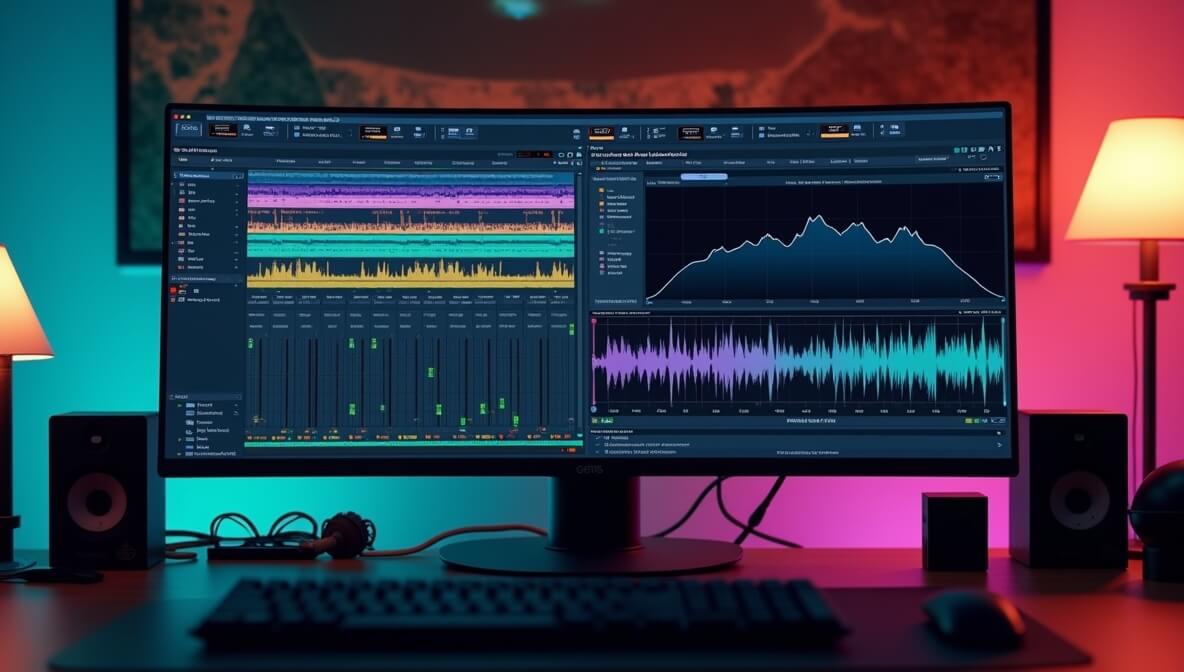
DAW session showing multitrack mixing alongside a mastering chain with meters and limiter.

A great song doesn’t just come from good lyrics or catchy melodies — it comes alive in the mix. Music mixing and mastering are the invisible hands that turn raw recordings into polished, release-ready tracks.


Think of mixing as the art of organizing and enhancing a track so that every element has its place, and mastering as the final polish that ensures your song sounds great on every speaker — from car stereos to club systems.


Whether you're just starting out in your bedroom studio or brushing up on the fundamentals, this in-depth guide will help you demystify the process, avoid common pitfalls, and improve your results.


What Mixing Really Is — and Why It’s an Art Form


At its core, mixing is about balance and clarity.


You take all the individual tracks — vocals, drums, guitars, synths, bass, FX — and blend them together to form a cohesive, emotionally impactful whole. But it’s not just about adjusting volumes. You’ll need to shape the sound using:


  • EQ (Equalization): Sculpt the tone by cutting or boosting certain frequencies.
  • Compression: Control dynamics and add punch or smoothness.
  • Panning: Position sounds from left to right in the stereo field.
  • Reverb and Delay: Add space and depth without making things muddy.


Mixing Is Creative, Not Just Technical


  • Mixing is where a track gets its vibe. Want a lo-fi, gritty feel? Leave in some saturation and hiss. Want a modern pop shine? Go for wide stereo synths and a tight vocal presence.
  • Need help understanding tone-shaping? This EQ guide breaks down how to identify frequency problems and fix them fast.


Essential Mixing Tools & Techniques Explained


Let’s break down the fundamental tools you'll use in every mix:


1. EQ (Equalization)


EQ allows you to carve out sonic space. For example:


  • Cut low-end rumble from vocals using a high-pass filter.
  • Reduce boxiness in acoustic guitars around 300–400 Hz.
  • Add presence to vocals with a small boost around 3–5 kHz.


Dive deeper: Shaping Your Sound with EQ


2. Compression


Compression tames dynamic range — making quiet sounds louder and loud sounds quieter. This adds punch and consistency. Important parameters:


  • Threshold: The level where compression begins.
  • Ratio: How much compression is applied.
  • Attack/Release: How fast the compressor reacts.


Start here: Compression Basics


3. Reverb & Delay


Used properly, these add depth and ambiance. But use them poorly, and your mix turns to mud.


  • Use short plate reverbs on vocals for presence.
  • Use longer hall reverbs on pads or strings for space.
  • Use delays to add rhythm or thickness without crowding the mix.


Learn how to keep depth without clutter: Reverb and Delay Guide


Your Monitoring Chain is More Important Than Plugins


You can’t mix what you can’t hear. Before you blame your plugins or skills, ask: are you monitoring accurately?


1. Monitors vs. Headphones


  • Studio Monitors reveal a truer stereo image and low-end — but need room treatment.
  • Headphones are more affordable and isolate room noise but may exaggerate stereo width.


See the full breakdown: Studio Monitors vs. Headphones


2. Audio Interfaces Matter


Clean recordings and proper gain staging start with a good interface. Even a basic 2-in/2-out interface gives:


  • Lower latency
  • Better preamps
  • Higher-resolution monitoring


Learn more: Understanding Audio Interfaces


A Repeatable Step-by-Step Mixing Workflow


Don’t just turn knobs at random — follow this proven process to build your mix logically.


1. Gain Stage First : Adjust all levels to avoid clipping. Keep your stereo output peaking around -6 dBFS for headroom.


2. Balance Faders : Before you touch EQ or reverb, mix with just volume and pan. If it doesn’t sound right dry, effects won’t save it.


3. Use EQ to Carve Space : High-pass unneeded low-end. Cut competing frequencies (like guitars clashing with vocals). Boost only if necessary.


4. Add Compression : Use light compression on vocals, bass, and drums. Don’t overdo it — aim for dynamics, not loudness.


5. Add Reverb & Delay : Think in layers: short reverb for intimacy, longer delays for width. Don’t drown your mix.


6. Reference Tracks : A/B your track with a commercial song in the same genre. Match tonal balance and loudness, not just vibe.


7. Final Touches : Automate volume, effects, or panning for transitions and dynamics. Less is more — make every move intentional.


Train Your Ears, Not Just Your Hands


No plugin beats a trained ear. Improve by:


  • Doing daily 10-minute ear training drills
  • Identifying frequency ranges by ear
  • Guessing compression settings by sound


Try this: Ear Training Exercises


Mastering: What It Is and Why It Matters


Once your mix is done, mastering gets it ready for release.


1. Mastering Includes:


  • EQ for tonal balance across systems
  • Compression for glue and cohesion
  • Limiting to maximize loudness without clipping
  • Metadata & Exporting for digital platforms


2. Translation is Everything


The mastered track should sound consistent whether on:


  • Earbuds
  • Car stereos
  • Laptop speakers
  • Club systems


Tools like iZotope Ozone or LANDR can help beginners master quickly.


Common Mistakes in Mixing & Mastering


Avoid these rookie errors:


  • Too much compression on the mix bus — causes lifeless, small mixes.
  • Muddy low-mids (200–400 Hz) — clean up overlapping instruments with EQ.
  • Overusing reverb — leads to “washed out” mixes.
  • Mixing at high volumes too long — causes ear fatigue.
  • Ignoring monitoring setup — inaccurate playback = bad decisions.


Use this guide to fix them: Mixing with Clarity


Setting Up a Beginner Home Studio


You don’t need expensive gear to get pro-sounding results.


1. Minimum Essentials:


  • 2-in/2-out audio interface
  • One dynamic mic (e.g., SM58)
  • Closed-back headphones for isolation
  • A reliable DAW (see below)


2. Choose a DAW That Matches Your Style


  • Ableton Live – great for electronic & loops
  • Reaper – affordable and powerful
  • Logic Pro – Mac-only, built-in sounds
  • Pro Tools Intro – starter version of the industry standard


Full setup guide: Home Studio Essentials


Bonus: Learn MIDI and Sampling


If you’re producing beats or working digitally:


Distribution: Preparing for Release


When you’re ready to share your track, don’t forget the final step: distribution.


Learn how to:

  • Set correct loudness targets
  • Format WAVs and MP3s
  • Add metadata and cover art
  • Choose a distributor: DistroKid, TuneCore, or CD Baby


Start here: Music Distribution Guide


Create a Sustainable Learning Loop


The real secret to improving your mixing/mastering skills?


  • Practice in short, focused sessions
  • Analyze pro mixes in detail
  • Experiment, fail, adjust, repeat
  • Track your progress using a mix journal


Feeling stuck? These Plateau-Busting Strategies will keep you leveling up.


Final Thoughts


  • Mixing and mastering can feel overwhelming — but you don’t need every plugin or piece of gear to start. What you do need is a plan, a bit of patience, and a commitment to training your ears.
  • Start with the basics. Focus on clean recordings, clear EQ, tasteful compression, and careful listening. Your mixes will get better — one track at a time.

Recent Articles

Stay up to date with the latest tips, expert insights, product reviews, and step-by-step guides to help you grow, create, and succeed—no matter your industry or passion.


Portrait studio with a sitter, soft key light and camera demonstrating directional portrait lighting
Portrait Lighting Patterns: Split, Loop and Rembrandt
Judge the light on the faceA portrait lighting pattern describes the arrangement of light and shadow on the face. It is different from the make of the light, the background color, or the overall editi...
Read More
Two educators reviewing curriculum books, sample worksheets and a checklist in a school library
Choosing a School Curriculum: A Practical Review Checklist
Clarify what decision you can makeChoosing a curriculum is different from choosing a school. A curriculum concerns the sequence of knowledge, skills, learning activities, and assessment, together with...
Read More
Teacher supporting a student using geometric learning materials and a notebook in a classroom
Personalized Learning Approaches: Goals, Support and Feedback
Begin with a learning goalPersonalized learning involves making informed choices about instruction and support for a learner. Start with the knowledge or skill being developed, not with a product or a...
Read More