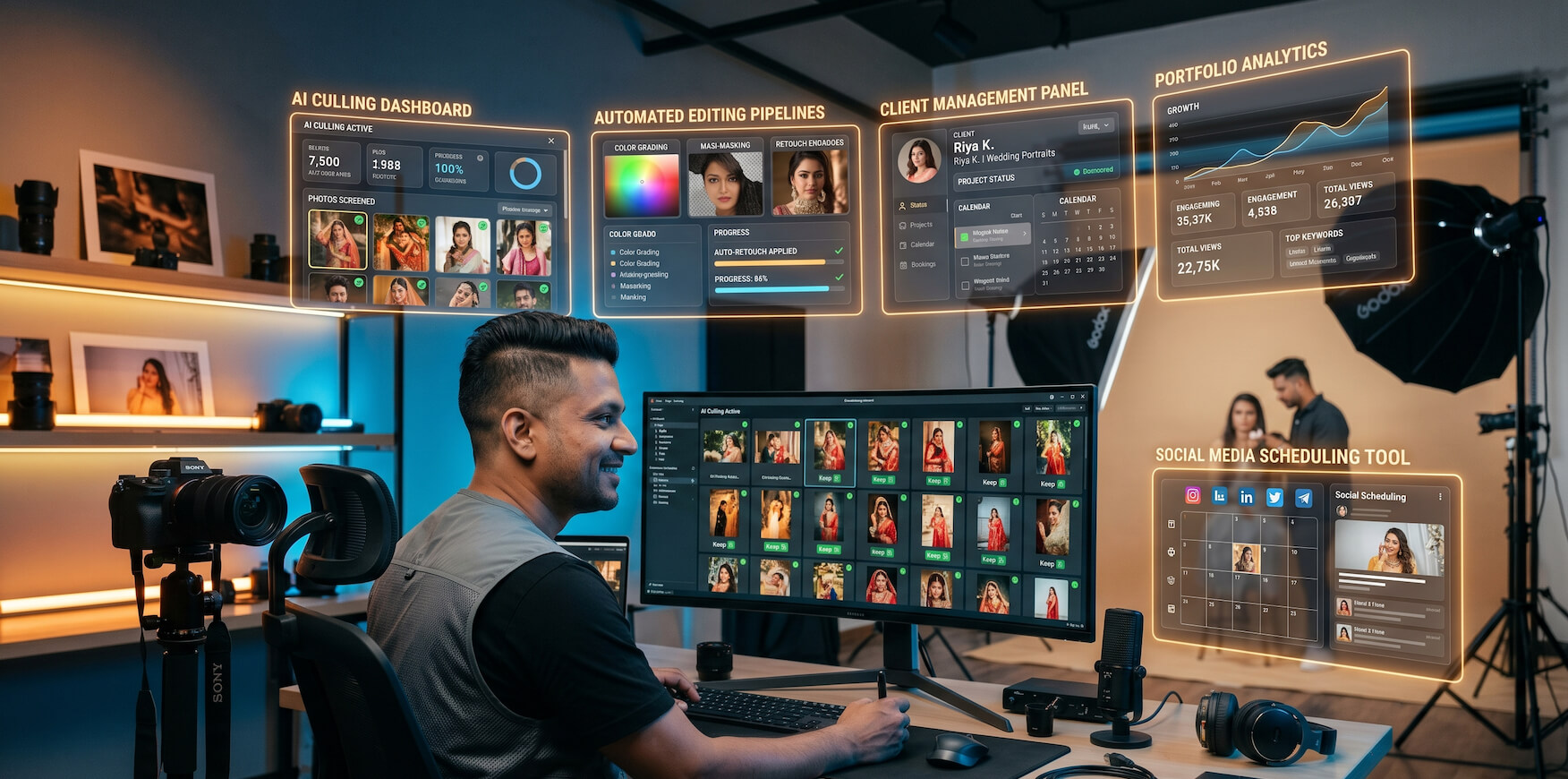
Photography in 2026 is a profession defined by two parallel demands — the creative one and the operational one. On the creative side, clients expect exceptional image quality, distinctive visual style, and a shooting experience that feels effortless and professional. On the operational side, running a viable photography business requires managing post-production pipelines, client relationships, marketing presence, financial administration, and the business development activities that keep the booking calendar full.
For most of photography's history, the operational side has been the harder one to manage — not because photographers lack business intelligence, but because the sheer volume of post-production work, administrative communication, and marketing effort required to sustain a professional photography business has consistently outpaced the available time. A wedding photographer who shoots two weddings per month is managing upwards of eighty hours of post-production work alongside client communication, marketing, and business development — a workload that leaves little room for the creative development and personal recovery that sustain long careers.
AI apps have systematically attacked this imbalance. In 2026, the most powerful photography AI applications compress post-production time by sixty to eighty percent, automate client communication workflows, systematize marketing presence, and handle financial administration — returning hours to photographers' weeks that flow directly into creative development, additional bookings, and the quality of life that makes a photography career worth building.
This guide covers the top AI apps for photographers in 2026 — organized by function, evaluated honestly for real-world photography business applicability, and selected for genuine impact on both the creative and commercial dimensions of professional photography.
Category 1: AI Culling and Selection Apps
1. Aftershoot — AI Culling and Editing Combined
- What it does: Aftershoot provides two distinct AI capabilities in a single platform — AI-powered photo culling that automatically selects the best images from a shoot, and AI editing that learns and replicates the photographer's specific editing style. The culling AI analyzes every image for technical quality factors including sharpness, exposure, expression, eye contact, and composition — automatically flagging the best selects from burst sequences and eliminating obvious rejects, blinks, and duplicates.
- Why it matters for photographers: For high-volume photographers — wedding, event, sports, or commercial — culling is frequently the single most time-consuming element of post-production. A wedding shoot generating four thousand images previously required four to six hours of focused culling attention. Aftershoot reduces this to a thirty-minute review of AI selections — recovering hours that translate directly into additional booking capacity or the creative and personal time that prevents burnout.
- Key features: AI culling with customizable selection aggressiveness, AI editing with style learning from existing portfolio, batch export, Adobe Lightroom integration, and detailed culling analytics showing selection rates and AI confidence scores.
- Best for: Wedding photographers, event photographers, and any high-volume shooter for whom culling time represents a significant proportion of total post-production investment.
- Pricing: Subscription from $9.99/month for culling, $16.99/month for combined culling and editing.
2. Narrative Select — AI Photo Selection for Storytelling Photographers
- What it does: Narrative Select provides AI-powered photo culling specifically designed around the storytelling needs of wedding and portrait photographers — not just selecting technically sharp images but identifying the selects that best serve the narrative arc of a photo story. Its AI analyzes sequences for emotional expression, moment quality, and story coverage alongside technical image quality factors.
- Why it matters for photographers: The distinction between technically good images and emotionally powerful story-telling images is the difference between competent culling and great editing. Narrative Select's emphasis on moment quality and narrative coherence produces selections that feel curated rather than simply technically filtered — a meaningful differentiation for photographers whose clients value storytelling as much as technical quality.
- Key features: AI story-aware culling, face clustering for group event coverage, star rating automation, Adobe Lightroom and Capture One integration, smart albums, and detailed selection analytics.
- Best for: Wedding photographers and documentary-style portrait photographers whose work is evaluated primarily for storytelling quality rather than technical perfection.
- Pricing: Free tier with limited monthly images. Pro from $9/month for unlimited culling.
For a comprehensive comparison of AI culling platforms across speed, accuracy, and integration capability, the AI tools comparison guide for photographers in 2026 provides detailed, honest evaluation across every major platform.
Category 2: AI Editing and Post-Production Apps
3. Imagen AI — AI Editing That Learns Your Style
- What it does: Imagen AI is the most sophisticated AI editing style learning platform available to photographers in 2026. It analyzes a photographer's existing edited portfolio — studying the specific tonal decisions, color grading choices, exposure adjustments, and processing preferences that define their visual identity — and builds a personalized AI editing profile that applies that exact style to new shoots automatically.
- Why it matters for photographers: The most commercially significant promise of AI editing is not just speed — it is the ability to maintain stylistic consistency at scale. Clients who book a photographer based on their distinctive editing style expect that style to appear consistently across every image they receive. Imagen AI delivers this consistency automatically — applying the photographer's personal editing fingerprint to every image in a shoot simultaneously, without the drift in consistency that hours of manual editing inevitably produces.
- Key features: Personal AI profile training from existing edited work, Adobe Lightroom integration, batch editing of unlimited images, profile refinement based on photographer feedback, multiple profile management for different shooting contexts, and detailed editing analytics.
- Best for: Photographers with established editing styles who want to maintain stylistic consistency while dramatically reducing editing time — particularly valuable for wedding and portrait photographers delivering large image volumes with consistent style expectations.
- Pricing: Pay-per-image from $0.01/image, or subscription plans from $99/month for high-volume photographers.
4. Adobe Lightroom with AI Features — The Professional Editing Standard
- What it does: Adobe Lightroom has embedded increasingly sophisticated AI capabilities that make it significantly more powerful than the manual editing tool it was for most of its history. AI-powered Denoise removes noise from high-ISO images with extraordinary quality preservation. AI Masking automatically detects subjects, skies, backgrounds, and objects with selection accuracy that previously required manual masking expertise. AI Enhance improves image resolution and detail. Generative Remove eliminates unwanted objects with AI-powered content-aware replacement.
- Why it matters for photographers: Lightroom's AI features don't replace the professional editing workflow — they make every element of it faster and more precise. Subject masking that previously required five minutes of careful brush work is completed in seconds by AI. Noise reduction that previously required choosing between image quality and processing time now delivers exceptional results automatically. For photographers already working in Lightroom, these AI features provide immediate productivity improvements without changing the fundamental workflow.
- Key features: AI Denoise, AI Masking with subject and sky detection, AI Enhance for resolution improvement, Generative Remove for object elimination, AI-suggested preset application, and seamless integration with the full Adobe Creative Cloud ecosystem.
- Best for: Professional photographers who use Lightroom as their primary editing platform and want AI capabilities integrated directly into their existing workflow without adopting separate platforms.
- Pricing: Included in Adobe Creative Cloud Photography Plan from $9.99/month.
5. Luminar Neo — AI-Powered Creative Enhancement
- What it does: Luminar Neo provides a collection of AI-powered creative enhancement tools that go beyond standard exposure and color correction into genuinely creative image transformation. Relight AI analyzes the three-dimensional lighting in an image and allows photographers to adjust it realistically — adding, removing, or repositioning light sources. Skin AI handles portrait retouching with anatomically intelligent correction. Structure AI enhances micro-detail across different image areas separately. Background Removal AI eliminates backgrounds with single-click precision.
- Why it matters for photographers: Luminar Neo's AI tools address creative image transformation challenges that are genuinely time-consuming in manual editing — particularly for portrait photographers who need consistent, natural-looking retouching and for landscape photographers who want to enhance atmospheric elements without artificial-looking results.
- Key features: Relight AI, Skin AI, Structure AI, Background Removal AI, Sky Replacement AI, Atmosphere AI, Portrait Bokeh AI, and Adobe Lightroom and Photoshop plugin integration.
- Best for: Portrait photographers wanting AI-assisted retouching and landscape photographers wanting creative atmospheric enhancement — both benefiting from AI tools that deliver natural-looking results faster than equivalent manual editing.
- Pricing: Subscription from $9.95/month or one-time purchase at $99.
6. Adobe Photoshop with Generative AI — Advanced Compositing and Retouching
- What it does: Adobe Photoshop's Firefly-powered generative AI features have transformed what is possible in image compositing and advanced retouching. Generative Fill extends backgrounds, replaces selected areas with AI-generated content that matches the image's photographic style, and removes complex objects with contextually aware replacement. Generative Expand adds canvas area with AI-generated content that seamlessly extends the original image. Neural filters handle complex portrait adjustments — skin smoothing, age simulation, expression adjustment — that previously required extensive manual work.
- Why it matters for photographers: Commercial and composite photographers have always needed advanced image manipulation capabilities — but the manual expertise required for convincing compositing work has historically created a steep learning curve and significant time investment. Photoshop's generative AI democratizes sophisticated image manipulation — making complex compositing, background extension, and object removal accessible to photographers without deep manual retouching expertise.
- Key features: Generative Fill, Generative Expand, Neural Filters, AI Object Selection, AI Background Removal, Content-Aware features enhanced by AI, and seamless Lightroom workflow integration.
- Best for: Commercial photographers, composite artists, and portrait retouchers who need advanced image manipulation capabilities for complex post-production work.
- Pricing: Included in Adobe Creative Cloud Photography Plan from $9.99/month.
Category 3: Portfolio and Online Presence Apps
7. RocketPages — AI Portfolio Website Builder for Photographers
- What it does: RocketPages is an AI-powered website builder that enables photographers to create professional, gallery-quality portfolio websites without writing code or hiring developers. Its AI handles design intelligence, layout decisions, mobile optimization, and structural organization — producing results that look professionally designed because the system makes genuinely sophisticated, photography-specific design decisions.
- Why it matters for photographers: A photographer's portfolio website is their most important commercial asset — the destination that every marketing initiative drives toward and the platform that converts visitor interest into client inquiries. Creating a stunning photography portfolio website using RocketPages AI removes every technical and financial barrier that has historically prevented photographers from having the professional online presence their work deserves. For photographers who have been operating with inadequate portfolio websites, this AI-powered solution delivers immediate commercial impact.
- For photographers building complete photography businesses — with booking systems, client galleries, pricing pages, and multiple service offerings — creating a complete photography website instantly using RocketPages AI provides the comprehensive digital presence that converts visitors into booked clients from day one.
- Key features: AI-powered design generation, photography-optimized gallery layouts, mobile optimization, SEO foundation, booking inquiry management, and integration with major photography platforms. No coding required.
- Best for: Independent photographers, portrait studios, and wedding photographers who need a professional portfolio and business website that matches the quality of their photography without a development budget or technical expertise.
- Pricing: Multiple tiers available — visit RocketPages for current pricing.
8. Pixieset — AI-Enhanced Client Gallery and Portfolio Platform
- What it does: Pixieset provides the complete online gallery infrastructure for professional photographers — client gallery delivery, portfolio website, online store for print sales, and studio management tools — with AI features that enhance gallery presentation and client experience. AI-powered gallery design automatically organizes delivered images for optimal presentation flow, and AI recommendations suggest pricing and product configurations based on similar studio performance data.
- Why it matters for photographers: Client gallery delivery is the final and most visible element of every photography job — the experience that determines whether a client becomes a repeat client and a referrer. Pixieset's polished, professional gallery delivery experience consistently generates positive client reactions that drive the word-of-mouth referrals that grow photography businesses more effectively than advertising.
- Key features: Password-protected client galleries, automated gallery delivery, online store for print and digital product sales, portfolio website builder, mobile app for client access, download controls, and lab integration for print fulfillment.
- Best for: Portrait, wedding, and family photographers who want professional client gallery delivery alongside their portfolio presentation in a single integrated platform.
- Pricing: Free plan with limited storage. Creator from $8/month, Studio from $16/month for professional features.
Category 4: Client Management and Business Apps
9. HoneyBook — AI-Powered Photography Client Management
- What it does: HoneyBook is the leading client management platform for creative professionals — providing AI-assisted proposal generation, contract creation, payment processing, automated workflows, and client communication management in a single integrated system. Its AI features include smart response suggestions for client inquiries, automated workflow triggers that progress client relationships through configured stages, and payment reminder automation that eliminates manual follow-up.
- Why it matters for photographers: Converting photography inquiries into booked clients requires prompt, professional, consistent communication across every stage of the client relationship — from initial inquiry response through contract signing, payment collection, session preparation, delivery, and follow-up. HoneyBook automates this entire communication lifecycle — ensuring that every prospective client receives an immediate, professional response and that every confirmed client is managed with consistent attention throughout the relationship.
- Key features: AI-assisted inquiry response, proposal and contract generation, automated payment reminders, workflow automation, questionnaire tools, meeting scheduling, and comprehensive client relationship management.
- Best for: Wedding photographers, portrait photographers, and any photography professional managing a significant volume of client inquiries who wants systematic, professional client relationship management without manual communication overhead.
- Pricing: Starter from $19/month, Essentials from $39/month, Premium from $79/month.
10. Dubsado — Comprehensive Photography Studio Management
- What it does: Dubsado provides comprehensive studio management capabilities for photography businesses — client relationship management, contract and proposal automation, workflow configuration, invoice and payment management, scheduling, and client portal access — with significant customization depth that allows photographers to configure the system precisely to their specific business processes.
- Why it matters for photographers: Where HoneyBook prioritizes ease of use and quick setup, Dubsado prioritizes flexibility and customization depth — making it the preferred choice for photographers with complex or distinctive business processes who need a CRM that adapts to their workflow rather than requiring their workflow to adapt to the platform.
- Key features: Highly customizable workflow automation, white-label client portal, contract and proposal templates, scheduler, questionnaire builder, bookkeeping integration, and time tracking.
- Best for: Established photography studios and photographers with specific, complex client management requirements who value customization depth over simplicity.
- Pricing: Starter from $20/month, Premier from $40/month.
11. Táve — Photography Studio Management with AI Intelligence
- What it does: Táve is a photography-specific studio management platform that combines client relationship management with business intelligence features — tracking lead sources, booking conversion rates, revenue by session type, and business performance metrics alongside client and workflow management. Its AI features identify the marketing sources generating the highest-value clients and the session types delivering the strongest financial performance.
- Why it matters for photographers: Understanding which lead sources generate the most valuable clients — not just the most clients — and which session types deliver the strongest financial returns is commercially critical intelligence for photography business development. Táve's business intelligence features surface this understanding automatically from operational data — enabling evidence-based marketing investment and pricing decisions rather than intuition-based guesses.
- Key features: Lead source tracking and ROI analysis, booking conversion analytics, revenue reporting by session type, client management, workflow automation, contract and invoice management, and business performance dashboards.
- Best for: Established photography studios that want to combine professional client management with genuine business intelligence — particularly valuable for photographers making significant marketing investments who want to understand which channels are generating the best commercial returns.
- Pricing: From $21.99/month for solo photographers, scaling with studio size.
Category 5: Marketing and Audience Building Apps
12. Later — AI Social Media Scheduling for Photographers
- What it does: Later automates social media content scheduling and distribution for photographers — enabling batch content creation and scheduled deployment across Instagram, Pinterest, TikTok, Facebook, and LinkedIn at algorithmically optimal times. Its AI features analyze audience engagement patterns to recommend the best posting times for each specific account and suggest caption improvements for better engagement performance.
- Why it matters for photographers: Social media consistency — posting regularly with high-quality content at optimal times — is the primary driver of algorithmic distribution and audience growth on visual platforms. Later's automation makes this consistency achievable for photographers without dedicated social media time — turning a weekly batch session into a full week of automated consistent presence.
- Key features: Visual content calendar, AI-optimized post scheduling, Instagram grid preview, Linkin.bio link management, hashtag suggestions, analytics and performance tracking, and team collaboration tools.
- Best for: Photographers who want to maintain consistent, strategic social media presence without daily manual posting — particularly valuable for photographers using Instagram and Pinterest as primary client acquisition channels.
- Pricing: Free plan with limited posts. Starter from $18/month, Growth from $40/month for professional features.
13. Flodesk — Beautiful Email Marketing for Photographers
- What it does: Flodesk is an email marketing platform specifically designed for visual creative professionals — combining professional email design capability with marketing automation features that make maintaining client communication and audience nurturing achievable without marketing expertise. Its AI features assist with email copy generation and send time optimization.
- Why it matters for photographers: Email marketing is the highest-return client retention and rebooking channel available to portrait photographers — systematically inviting past clients to rebook as their session anniversary approaches generates significant incremental revenue from marketing investment that is minimal once automated. Flodesk's visual design emphasis makes photographer email marketing visually credible — consistent with the visual professional standard that photography clients expect.
- Key features: Visual email template builder, workflow automation for rebooking sequences, subscriber management, form builder for list growth, analytics dashboard, and flat-rate pricing regardless of list size.
- Best for: Portrait, wedding, and family photographers who want to maintain engaged email relationships with past clients and nurture prospective clients through educational content sequences.
- Pricing: Flat rate $38/month for unlimited subscribers and emails.
14. Canva — AI-Powered Visual Marketing Content
- What it does: Canva with AI features provides photographers with the visual marketing content creation capability — social media graphics, promotional materials, pricing guides, client welcome packets, and brand assets — that professional photography marketing requires. Its AI tools include Magic Studio for content generation, Magic Design for automatic layout creation, and Magic Write for AI-assisted copy drafting.
- Why it matters for photographers: Photography marketing requires more than just posting images — it requires branded graphics, promotional templates, educational content, and client communication materials that maintain visual consistency across every touchpoint. Canva makes creating this full range of marketing materials accessible to photographers without graphic design expertise — maintaining the visual professional standard that client expectations demand.
- Key features: Photography-specific template library, AI design generation, background remover, brand kit for visual consistency, social media sizing automation, and team collaboration features.
- Best for: Photographers who want to create professional branded marketing materials — social media graphics, promotional content, client guides — without graphic design software expertise or professional design investment.
- Pricing: Free tier with core features. Pro from $16.99/month for full AI features and brand kit.
Category 6: AI Research and Learning Apps
15. Midjourney — AI Image Generation for Creative Inspiration
- What it does: Midjourney is the leading AI image generation platform — producing photorealistic and artistically sophisticated images from text prompts. For photographers, its primary value is not image generation for client delivery but creative inspiration — generating lighting references, compositional concepts, color palette explorations, and visual style directions that inform shooting and editing decisions.
- Why it matters for photographers: Creative stagnation — the gradual narrowing of creative vision that comes from shooting within established comfort zones — is one of the most significant long-term risks for professional photographers. Midjourney provides an inexhaustible creative exploration tool — generating visual possibilities that expand aesthetic range and inspire creative directions that purely intuitive exploration might not surface.
- Key features: Text-to-image generation, style reference for consistent aesthetic exploration, image variation generation, upscaling, and a vast style range from photorealistic to highly artistic.
- Best for: Photographers wanting to expand their creative vision, explore new aesthetic directions, or develop mood boards and visual concepts for clients — particularly valuable for commercial and portrait photographers who present creative concepts before shooting.
- Pricing: Basic plan from $10/month. Standard from $30/month for more generations.
16. Notion AI — Photography Business Intelligence Hub
- What it does: Notion AI transforms the already powerful Notion workspace into an AI-enhanced photography business command center — managing client relationships, shoot planning, equipment tracking, financial records, marketing calendars, and professional development in a single intelligently queryable system. AI features include natural language database querying, document drafting, meeting note summarization, and intelligent content organization.
- Why it matters for photographers: Photography business management involves tracking multiple simultaneous client relationships in various stages, managing complex equipment inventories, planning shoots across multiple locations, and maintaining the financial and administrative records that business operation requires. Notion AI organizes this complexity into a single, accessible system — reducing the cognitive overhead of business management and ensuring that no client, deadline, or opportunity falls through the cracks.
- Key features: AI-powered workspace organization, natural language querying of business data, client and project management databases, document drafting assistance, calendar integration, and unlimited customization for photography-specific workflows.
- Best for: Photography business owners who want a comprehensive, intelligent business management system that adapts to their specific operational requirements — particularly valuable for photographers managing multiple simultaneous client relationships and complex project timelines.
- Pricing: Free plan with AI usage limits. Plus from $10/month per user for full AI features.
Category 7: Financial Management Apps
17. QuickBooks with AI — Photography Business Accounting
- What it does: QuickBooks with AI features automates the financial management of photography businesses — categorizing income and expenses automatically from connected bank accounts and payment processors, generating invoices, tracking outstanding payments, producing financial reports, and simplifying tax preparation through continuously maintained, properly categorized financial records.
- Why it matters for photographers: Financial management is one of the most consistently stressful operational burdens for self-employed photographers — particularly at tax time when the consequences of inadequate record-keeping become most apparent. QuickBooks transforms this function from an anxiety-inducing annual crisis into a continuously maintained automated system that makes both operational financial decisions and tax preparation straightforward.
- Key features: AI transaction categorization, invoice generation and tracking, expense management with receipt capture, financial reporting, tax preparation support, payment processing integration, and payroll management for studio employees.
- Best for: Self-employed photographers and photography studio owners who want professional financial management without accounting expertise — and who want tax preparation to be a review process rather than an annual reconstruction effort.
- Pricing: Simple Start from $17.50/month, Plus from $49.50/month for full feature access.
Building Your Photography AI App Stack
Seventeen applications across seven categories represents a comprehensive photography AI landscape. The most effective approach to building your photography AI stack is function-first — identifying your highest-priority operational and commercial challenges and selecting the applications that address those challenges most directly.
For photographers newer to AI tools, the AI tools for beginners guide for photographers in 2026 provides accessible, jargon-free guidance across every photography AI function — making adoption achievable without prior technical experience.
For photographers ready to invest significantly and wanting comprehensive platform evaluation, the best AI tools for photographers in 2026 covers every major platform with honest assessments of commercial impact, creative value, and implementation requirements.
For photographers working within budget constraints, the free AI tools for photographers in 2026 maps the most powerful zero-cost options across every photography function — making meaningful AI adoption accessible before significant financial investment.
A Recommended Starting Stack for Different Photography Specialties
- Wedding photographers: Aftershoot for culling and editing, Imagen AI for style consistency, HoneyBook for client management, Pixieset for gallery delivery, RocketPages for portfolio website, and Later for social media.
- Portrait photographers: Luminar Neo for AI retouching, Imagen AI for style editing, Flodesk for client rebooking email marketing, HoneyBook for booking management, Pixieset for gallery and print sales, and RocketPages for portfolio website.
- Commercial photographers: Adobe Creative Cloud for editing suite, Midjourney for creative concept development, Notion AI for project management, Dubsado for client management, QuickBooks for financial management, and RocketPages for portfolio and business website.
Final Thoughts: The Photography AI App Advantage Is Available to Every Photographer
The most significant development in photography AI in 2026 is not the sophistication of individual applications — it is their accessibility. The AI capabilities that were available only to large commercial studios with significant technology budgets three years ago are now accessible to independent photographers and small studios at subscription price points that make adoption commercially viable from the first month of use.
The seventeen applications in this guide represent the most impactful AI tools available to photographers across every operational and creative function. They are being used right now by photographers who are outperforming their competitors — delivering better client experiences, maintaining stronger social media presence, managing more client relationships simultaneously, and growing their businesses more consistently — not because their photography is better, but because their operational infrastructure is smarter.
The question is not whether AI apps will transform professional photography. It is whether your photography business will be among the ones leading that transformation — or the ones catching up to it.
Ready to see how the top photography AI apps compare across features, pricing, and real-world performance? The AI tools comparison guide for photographers in 2026 gives you the structured, honest evaluation you need to build your photography AI stack with confidence.